

USB-C is the small, oval-shaped, reversible connector that has become the universal standard for charging and connecting phones, tablets, laptops, and accessories. Developed by the USB Implementers Forum (USB-IF), the Type-C specification was published on August 11, 2014. A single USB-C cable can carry power, data, and video — supporting up to 240W of charging with USB Power Delivery and up to 40Gbps of data transfer with USB4. It is now the legally required charging port on new mobile devices sold in the EU, and it replaced Apple’s Lightning port on the iPhone 15 in 2023. In this guide, we break down what is usb-c in plain English — what it is, how it works, and how to use it.
USB-C in one sentence: USB-C (USB Type-C) is a 24-pin, reversible physical connector — not a protocol — designed to replace USB-A, USB-B, Micro-USB, Lightning, Mini DisplayPort, and even HDMI with a single cable that handles charging, data, and video. (Wikipedia)
What Is Usb-c: What does USB-C actually look like?

USB-C is easy to recognize: a small, slim, oval-shaped plug about 8.34mm wide and 2.56mm tall. Unlike the rectangular USB-A connector that only fits one way up, USB-C has two-fold rotational symmetry — it plugs in either orientation, and both ends of the cable are identical. (Wikipedia)
The key thing to understand: the “C” describes only the connector’s physical shape, not its speed or capabilities. A USB-C port might run at slow USB 2.0 speeds or at full 40Gbps USB4 — the shape alone doesn’t tell you. (Tech Xplore)
What can one USB-C cable do?
USB-C’s big idea is convergence: one port and one cable doing the job that used to require several different connectors. Here’s what a single full-featured USB-C cable can carry:
| Job | What it replaces | Top capability |
|---|---|---|
| Charging | Proprietary barrel chargers, Lightning | Up to 240W via USB Power Delivery 3.1 |
| Data transfer | USB-A / USB-B / Micro-USB cables | Up to 40Gbps with USB4 |
| Video & audio | HDMI, DisplayPort, VGA | DisplayPort / HDMI Alt Mode to a monitor |
| High-speed protocols | Separate Thunderbolt cables | Thunderbolt runs over the USB-C connector |
That last point matters: the same physical connector can carry other protocols entirely, such as Thunderbolt, PCIe, DisplayPort, and HDMI, and the standard is designed to stay extensible for future ones. (Wikipedia)
How does USB-C fast charging work?
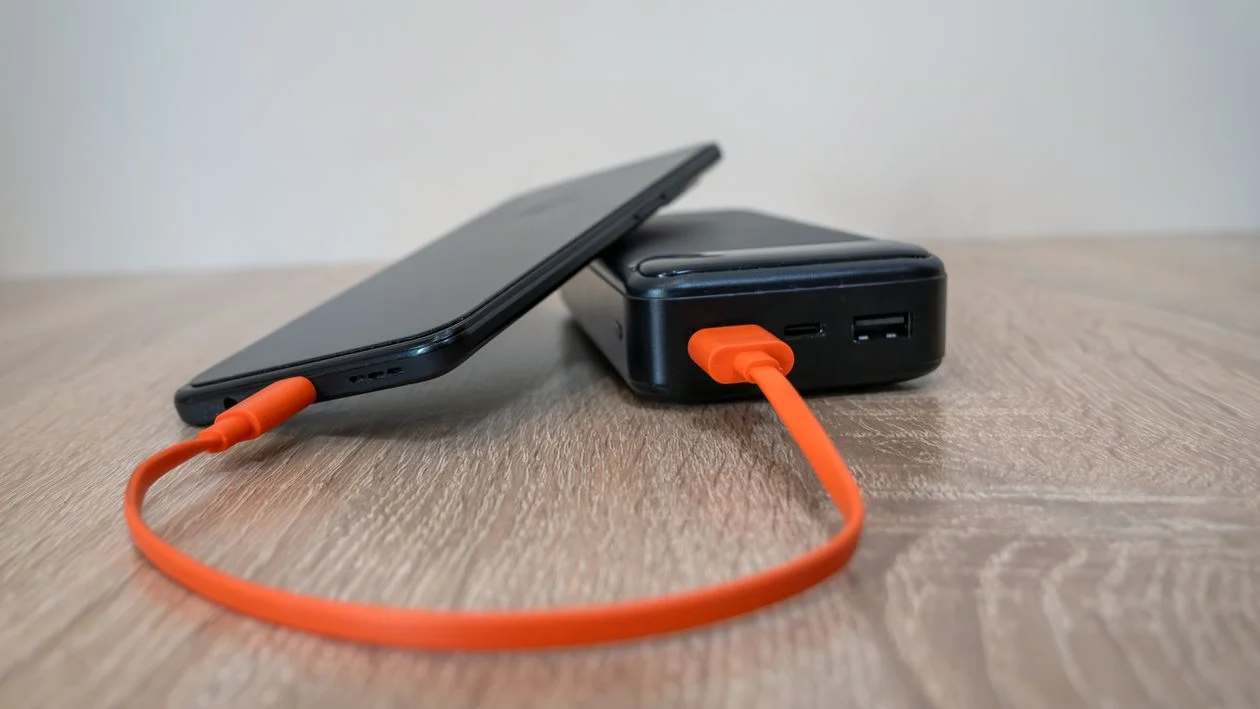
The speed secret isn’t the shape — it’s USB Power Delivery (USB PD), a separate standard that often runs on top of USB-C. With PD, the charger and device negotiate the voltage and current, so power flows safely at much higher levels than old USB ports allowed. (Anker)
| Standard | Voltage / Current | Max power | What it can charge |
|---|---|---|---|
| Basic USB-C | Up to 20V / 3A | 60W | Phones, tablets, many ultrabooks |
| USB PD (5A cables) | Up to 20V / 5A | 100W | Most laptops |
| USB PD 3.1 (EPR) | Up to 48V / 5A | 240W | Gaming laptops, docks, monitors |
Every USB-C cable must support at least 3 amps at up to 20 volts (60W); higher-power cables add an E-marker chip that identifies the cable and its capabilities to the devices at both ends. (Wikipedia)
Why are some USB-C cables faster than others?
Because not all USB-C cables are wired the same. This is the single biggest source of confusion:
- Charge-only cables contain just the basic power and USB 2.0 wires. They charge fine but transfer data slowly — fine for a phone charger, useless for a fast SSD or a 4K monitor.
- Full-featured cables have all the wires populated, support USB 3.x / USB4 speeds, Power Delivery, and DisplayPort Alt Mode. (Wikipedia)
Also important: a USB-C connector does not guarantee any particular protocol. A device can have a USB-C port without implementing USB Power Delivery or video output. That’s why a monitor cable works for your laptop display but not for your phone — the port, the cable, and the device all have to support the feature. (Tech Xplore)
Tip: look for the USB-IF certified logos on packaging. The USB Implementers Forum certifies compliant cables, so the official logo helps you tell genuine full-featured cables from cheap lookalikes. (Wikipedia)
USB-C vs USB-A vs Lightning: what’s the difference?
| USB-A | USB-C | Lightning | |
|---|---|---|---|
| Reversible? | No | Yes | Yes |
| Max charging power | ~12W | Up to 240W (with USB PD) | ~20W range |
| Max data speed | 5Gbps (USB 3.0) | 40Gbps (USB4) | 480Mbps (USB 2.0) |
| Video output | No | Yes (DisplayPort/HDMI Alt Mode) | Via adapters |
| Status | Legacy | Current universal standard | Phased out by Apple |
If you’re weighing whether your old phone is worth keeping, see our When Should You Replace Your Phone? A Practical Guide“>phone upgrade guide — the connector generation is one of the clearest signs a device is aging out.
Why did USB-C become the world’s standard?
Two forces pushed USB-C over the finish line:
1. The EU made it law
The EU’s Common Charger Directive took effect on December 28, 2024: all new mobile phones, tablets, cameras, headphones, handheld consoles, portable speakers, e-readers, keyboards, mice, and earbuds sold in the EU must have a USB-C charging port. The rule extends to laptops on April 28, 2026. It also harmonizes fast-charging behavior and lets consumers buy devices without a bundled charger, saving an estimated €250 million a year on unnecessary charger purchases. (European Parliament)
2. Apple switched the iPhone
Apple adopted USB-C on the iPhone 15 lineup, announced September 12, 2023 at its “Wonderlust” event, replacing the decade-old Lightning port. (MacRumors) With Apple’s move, USB-C is now the connector on virtually every major phone, tablet, and laptop — the “one cable standard” in practice, not just in name.
USB-C is even extending beyond personal tech: it’s standard on accessories like How Noise-Cancelling Headphones Work: ANC Explained“>noise-cancelling headphones and on modern What Is a Digital Wallet? How Phone Payments Work“>smartphones used for digital wallet payments, so one cable increasingly covers your whole pocket.
How to buy the right USB-C cable
- Decide what it must do. Charging only? Get any decent USB-C cable. Data or video? You need a “full-featured” cable rated for the speed you want.
- Match the wattage. Check your device’s charger rating (e.g., 65W laptop). Your cable, charger, and device all need to support that power level — the weakest link sets the limit.
- Check the speed rating. Packaging should state the data rate: 480Mbps (USB 2.0), 5/10/20Gbps (USB 3.x), or 40Gbps (USB4).
- Buy certified. Look for USB-IF certification logos and an E-marker chip for 100W+ cables. Suspiciously cheap cables are the ones most likely to underperform or overheat.
- Keep one spare. A quality 100W-rated, full-featured USB-C cable is now the most versatile cable you can own.
Frequently asked questions
Is USB-C the same as USB 3.0 or USB4?
No. USB-C is the connector shape; USB 3.0, USB4, and Thunderbolt are protocols that describe speed and features. A USB-C port might carry any of them — or none of them beyond basic charging. (Wikipedia)
Can USB-C charge a laptop?
Yes, if the laptop and charger both support USB Power Delivery. Standard USB-C handles up to 60W, 5A cables go to 100W, and USB PD 3.1 (Extended Power Range) reaches 240W — enough for gaming laptops. (Wikipedia)
Does USB-C support video and HDMI?
Yes. Through DisplayPort Alternate Mode or HDMI Alternate Mode, a USB-C cable can drive external monitors — but all three links (device, cable, monitor) must support the mode.
Can I charge any USB-C phone with any USB-C charger?
Usually yes, at least at basic speeds — USB-C ports are backward compatible. For the fastest charging, the charger, cable, and phone must all support the same fast-charging standard (e.g., USB PD).
Is USB-C really replacing Lightning?
Effectively, yes. Apple moved the iPhone 15 to USB-C in September 2023, and the EU now requires USB-C on new mobile devices — Lightning is on its way out. (MacRumors)
What’s an E-marker chip?
A tiny chip inside high-power USB-C cables that reports the cable’s capabilities (vendor, speed rating, voltage/current limits) to the connected devices over the Configuration Channel, so they can negotiate safe, maximum-speed charging. (Wikipedia)

Developers, designers and marketers who build websites, software, apps and automations for businesses worldwide. Our editorial policy

2 comments