
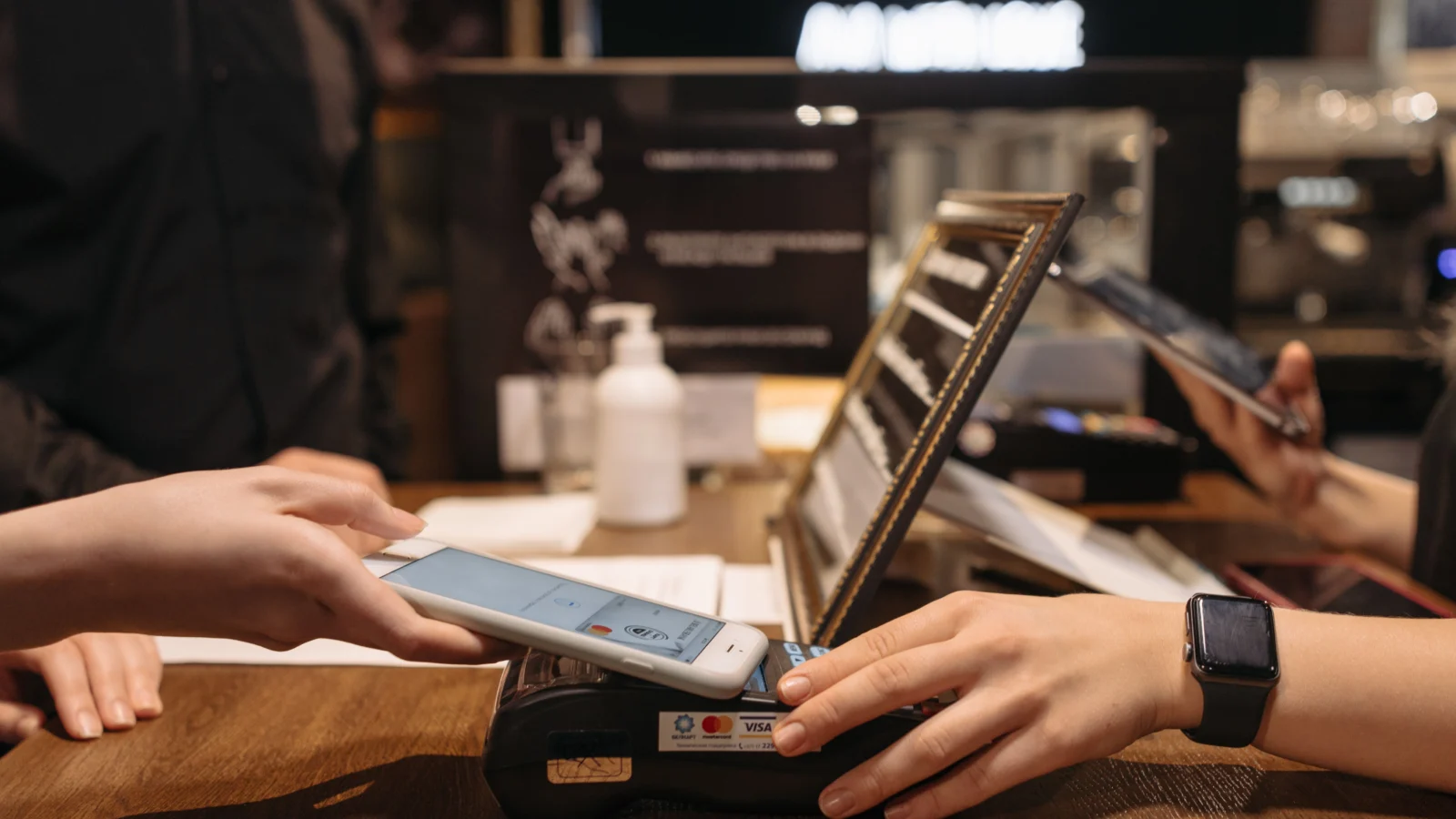
A digital wallet is an app on your phone that stores your payment cards securely and lets you pay by tapping your phone, scanning a code, or clicking a button online — no physical card needed. Behind the scenes it uses NFC (short-range wireless) to talk to payment terminals and tokenization to replace your real card number with a one-time-use code, so merchants never see your actual card details. In short: a digital wallet is like a regular wallet, except the phone handles the payment for you, more safely.
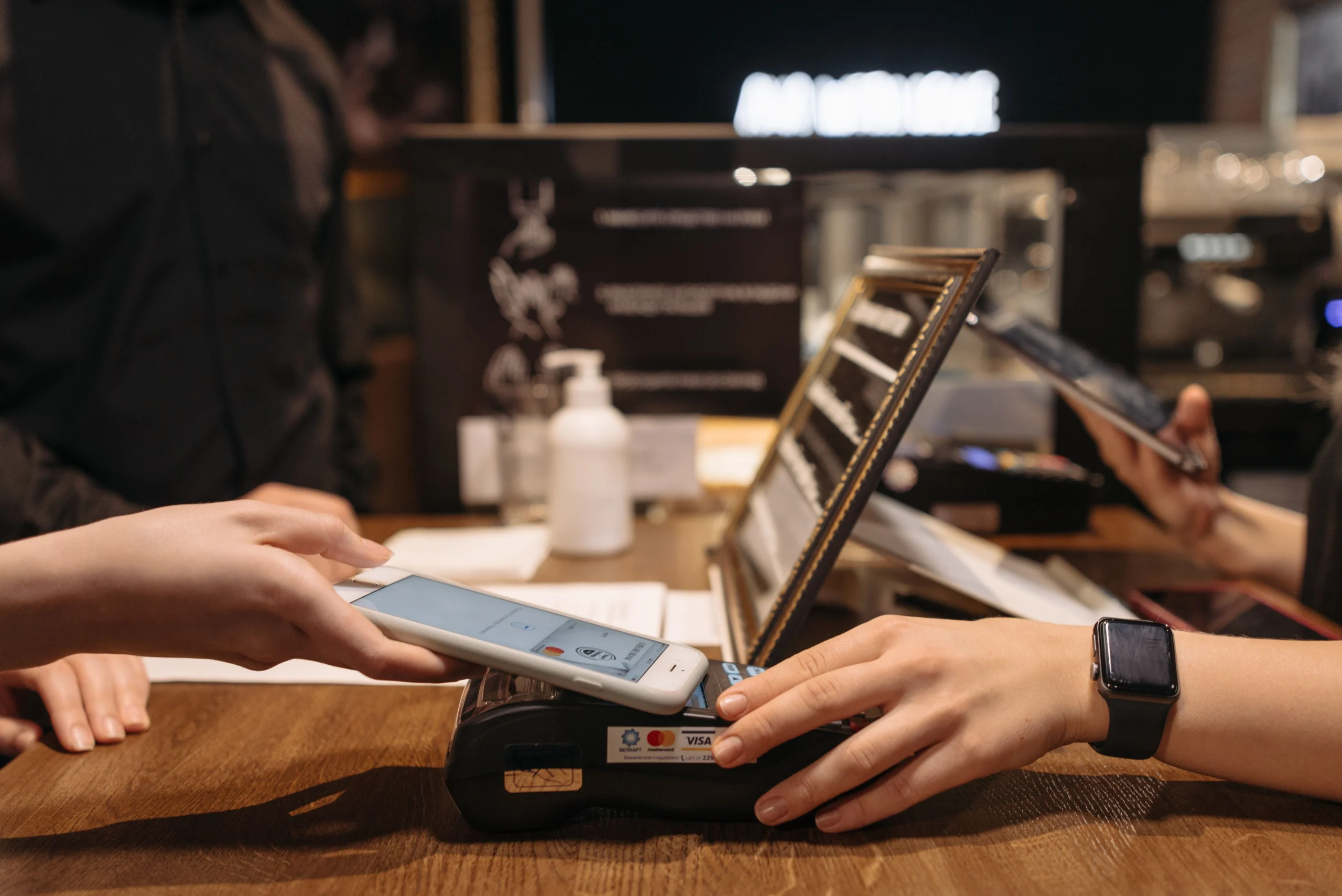
Definition: A digital wallet (or e-wallet) is a software app that securely stores virtual versions of your debit and credit cards, along with loyalty cards, coupons, tickets, and passes. It enables payments in stores, in apps, and online — usually by tapping the phone or confirming with a fingerprint or face scan.
How does a digital wallet work?
First you add your card, then you pay with it.
Step 1: Adding a card (tokenization)
When you add a debit or credit card to Apple Pay, Google Pay, or a similar wallet, the app does not simply save your card number on the phone. Instead, it contacts your bank, which verifies you — often with a one-time passcode — and a unique token called a Device Account Number (DAN) is created and stored on your device instead of your real card number (explained in detail here).
On iPhones, the token lives in a dedicated hardware chip called the Secure Element, isolated from the main operating system; the actual card numbers are not stored on the device or on Apple’s servers (Apple). Google Pay manages tokens through its cloud-based system and the phone’s software (Host Card Emulation), making it flexible across many Android devices (source).
Step 2: Paying in a store (the tap)
At checkout, unlock your phone with your face, fingerprint, or passcode and hold it near the terminal:
- Your phone and the terminal connect over NFC — hold them about two inches apart.
- The phone sends the token plus a one-time security code.
- The terminal passes it along the card rails: terminal → bank → card network (Visa, Mastercard) → your card issuer.
- The issuer matches the token to your account, checks funds and fraud signals, then approves.
The key insight: NFC is only the communication technology, tokenization is the security, and the wallet is the experience — the underlying card ecosystem still moves the money (source).
What is NFC, and how does it power tap-to-pay?
NFC (near-field communication) is the technology that lets two devices — your phone and a payment terminal — talk to each other when they are very close together. It is a subset of RFID using the 13.56 MHz frequency, and NFC-enabled terminals carry the sideways Wi-Fi-like symbol (Square).
Its short range is a deliberate security feature: devices exchange encrypted data for just seconds, making eavesdropping extremely difficult. NFC payments are also notably faster than chip-card transactions (Square).
Not every wallet payment uses NFC. QR-code payments — where you scan a merchant’s code or they scan yours — store the payment information visually instead of transmitting it by radio (SESCU). In some markets, including India, QR-based payments dominate small retail while NFC tap-to-pay grows in malls and larger stores.
What is tokenization, and why does it make wallets safer?
Tokenization means swapping your sensitive card number for a non-sensitive placeholder — the token. It keeps the format the payment network needs, but is meaningless outside that transaction and useless if intercepted (source).
- A physical card shows the same number every time — anyone who copies it can clone it.
- A digital wallet sends a different token and a fresh one-time code every time. The data is dynamic, never static.
Add biometric authentication — your fingerprint or face is required to start most payments — and a stolen phone is far less useful than a stolen physical wallet — and even if the NFC signal were intercepted, the captured token would already be expired (source). If your device is lost, you can remotely suspend payments through Find My (Apple) or Find My Device (Google) without cancelling your actual card.
What are the types of digital wallets?
Digital wallets are usually grouped into three categories by where you can spend (TechRepublic; TechTarget):
| Wallet type | Where you can spend | Examples |
|---|---|---|
| Closed | Only with the company that issued it | Starbucks app, Amazon Pay |
| Semi-closed | A network of partnered merchants | Paytm, Ola Money |
| Open | Broadly, like a bank-issued instrument — including ATM withdrawals | Apple Pay, Google Pay, PayPal |
Open wallets are the most versatile — which is why Apple Pay and Google Pay are often called the “big two” of phone payments.
Apple Pay vs Google Pay: what is the difference?
| Feature | Apple Pay | Google Pay |
|---|---|---|
| Token storage | Device Account Number in the Secure Element hardware chip | Virtual account numbers managed via cloud + Host Card Emulation |
| Unlock | Face ID, Touch ID, or passcode required per payment | Device unlock (and biometrics); per-transaction cryptogram |
| Works on | iPhone, Apple Watch, iPad, Mac | Android phones, wearables, and web |
| Transaction privacy | Apple says it does not retain transaction data tied back to you | Transactions linked to your Google account activity |
Apple’s approach is hardware-first; Google’s is more flexible across devices and browsers (Checkout.com). Both are considered far safer than a physical card. Apple Pay has been expanding rapidly — it recently launched in India with Axis Bank for Visa and Mastercard credit cards (source).
How do you set up and use a digital wallet?
- Open your wallet app. Apple Wallet comes pre-installed on iPhone; Google Wallet on Android.
- Add a card. Tap “+” and enter (or photograph) your card details; your bank verifies you, usually by text or in-app approval.
- Pay in a store. Unlock the phone, hold it near the terminal, and wait for the checkmark or vibration.
- Pay online. At checkout, choose the wallet button (e.g., “Pay with Apple Pay”) to skip typing card details.
Is paying with your phone actually safe?
Mostly, yes — in several ways it is safer than the plastic it replaces. Your real card number is never stored on the phone, never shown to the merchant, and never transmitted during the tap; each transaction uses a one-time code, so intercepted data cannot be reused.
But keep realistic expectations:
- Your phone battery matters. A dead phone means no wallet — keep a backup card when traveling.
- Acceptance varies. Look for the contactless symbol or your wallet’s logo at the register; small vendors may only take QR payments.
- Scams still exist. Wallets protect the payment itself, not you from phishing messages or fake sellers. No wallet can stop you from authorizing a payment to a fraudster.
- Privacy differs by provider. Apple states it does not retain transaction data tied back to you; Google Pay transactions live within your Google account ecosystem.
Frequently asked questions
Is a digital wallet the same as a mobile payment app?
Not exactly. A digital wallet stores your cards — it is the container. A payment app moves money. Many do both: Apple Pay and Google Pay are wallets that also perform payments, while apps like Venmo focus on sending money between people.
Is paying with my phone safer than using my physical card?
Generally, yes. A physical card exposes the same static number every time, while a wallet sends a fresh token plus a one-time security code per transaction — and requires your fingerprint, face, or passcode first (source).
Do digital wallets work without internet?
The in-store tap works offline, because the token is already on your device — the terminal handles the network side. Adding cards, viewing history, and online checkouts need connectivity.
What happens if my phone is lost or stolen?
Your money is not gone: your real card number was never on the phone, only an encrypted token. Use Find My (iPhone) or Find My Device (Android) to lock or suspend payments remotely. A thief would still need your face, fingerprint, or passcode to pay.
Do I need a bank account to use a digital wallet?
Not necessarily. Apple Pay and Google Pay need a linked card, but closed and semi-closed wallets (store apps, prepaid wallets) let you load money without a bank account.
What is tokenization in simple terms?
It is the practice of replacing your real card number with a random substitute — a “token” — that only works for that device and that transaction. Merchants and eavesdroppers see only the token, never your actual card.
The bottom line
A digital wallet replaces the plastic in your pocket with a secure app on your phone. When you tap to pay, NFC connects your phone to the terminal, tokenization ensures your real card number is never exposed, and biometrics make sure it is really you authorizing the charge — convenience up front, cryptography underneath.
More tech, explained: How Noise-Cancelling Headphones Work: ANC Explained“>how noise-cancelling headphones work and What Is Refresh Rate? 60Hz vs 120Hz Explained“>60Hz vs 120Hz screens.

Developers, designers and marketers who build websites, software, apps and automations for businesses worldwide. Our editorial policy

1 comment