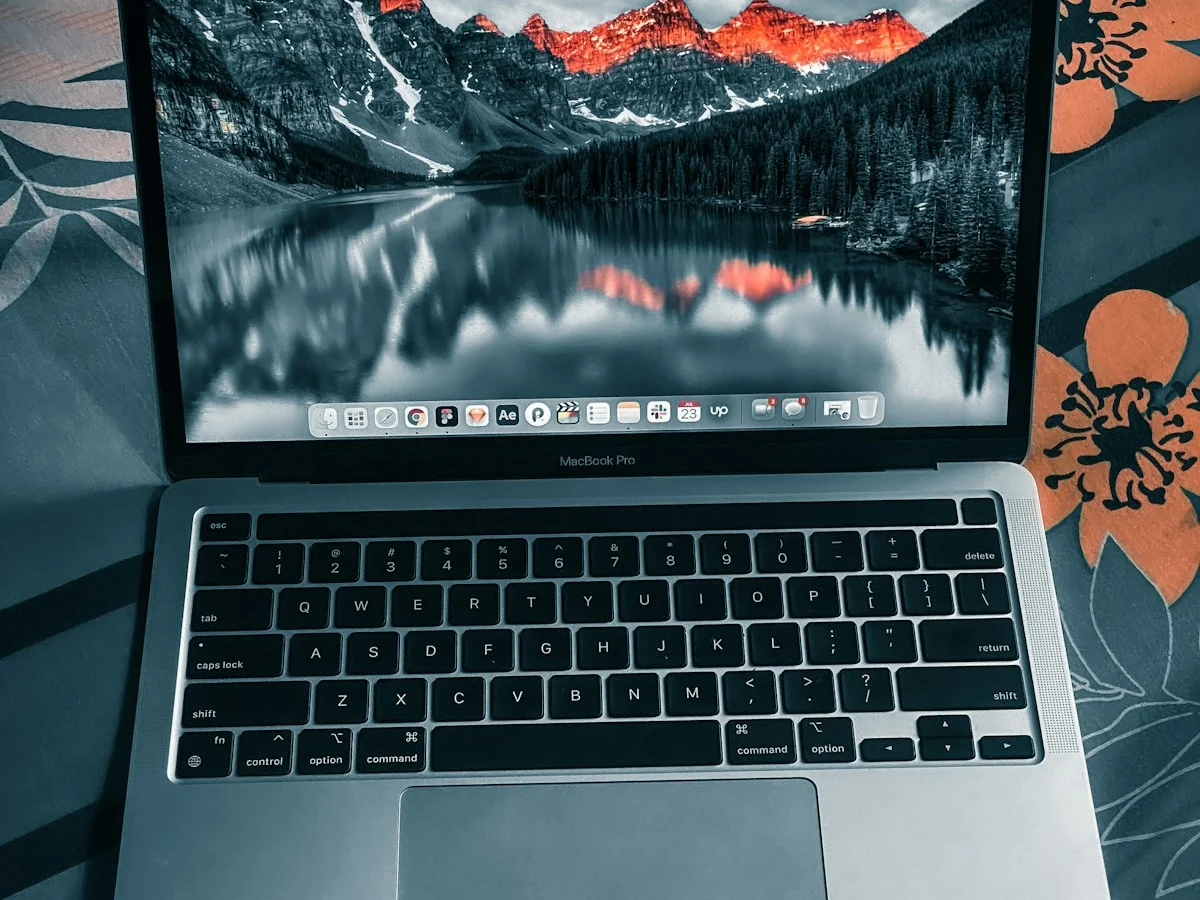
The short answer: Apple is reportedly about to launch its first-ever touchscreen Mac. According to Bloomberg‘s Mark Gurman, Apple plans to unveil a redesigned MacBook Pro with an OLED touchscreen display on or around October 27, 2026 (MacRumors). The new 14-inch and 16-inch models are expected to be thinner and lighter than today’s MacBook Pro, run M5 Pro and M5 Max chips, and replace the notch with a Dynamic Island. Apple itself has confirmed none of this, so treat every detail in this guide as a well-sourced rumor, not a promise. In this guide, we break down touchscreen macbook pro in plain English — what it is, how it works, and how to use it.
What is the touchscreen OLED MacBook Pro?
Definition: The touchscreen OLED MacBook Pro is Apple’s rumored redesign of its flagship laptop: a 14-inch or 16-inch MacBook Pro whose display uses OLED screen technology (pixels that produce their own light) and accepts touch input — a first for any Mac. Reports say it will be thinner and lighter, gain a Dynamic Island around the camera, and run on Apple’s M5 Pro or M5 Max chips (9to5Mac).
Think of it as two historic firsts in one machine: the first Mac with an OLED screen, and the first Mac you can tap, pinch, and scroll with your finger. If the reports are right, this will be the biggest MacBook Pro redesign in years.
When is the touchscreen MacBook Pro coming out?
The latest reporting points to on or around Tuesday, October 27, 2026. Bloomberg reported that date in early October, saying the launch would follow Apple’s October 13 smart-home event in New York (more in our What Is a Smart Home Hub? Apple’s HomePad Explained explainer) (MacRumors).
A few caveats, because dates in rumor season move around:
- Earlier predictions were vaguer. Gurman had previously said the touch-enabled OLED MacBook Pro would arrive in “late 2026 or early 2027,” and told his Power On podcast on October 1 that the announcement could come as early as October but might slip to November (Macworld).
- Apple hasn’t said a word. The date comes from people familiar with Apple’s plans speaking to Bloomberg, not from Apple. Until Apple sends an invitation, October 27 is a strong rumor, not a fact.
Why is Apple putting touch on a Mac after all these years?
This is the real story. Apple spent more than a decade arguing that touchscreens belong on phones and tablets, not laptops. Steve Jobs famously dismissed the idea in 2010, saying touch surfaces “don’t want to be vertical” because reaching up to poke a screen causes arm fatigue — the phenomenon designers call “gorilla arm” (Cult of Mac). Apple even built touchscreen Mac prototypes internally, but never shipped one.
So what changed? According to Apple analyst Ming-Chi Kuo, Apple decided to add touch after “long-term observation of iPad user behavior” suggested that touch controls can enhance productivity and user experience in certain scenarios (MacRumors). In plain English: a generation that grew up tapping iPads and iPhones keeps instinctively reaching for the screen — and Apple is finally designing for that habit instead of fighting it. The full keyboard and trackpad stay; touch is a complement, not a replacement.
What is OLED, and why does the display upgrade matter?
OLED (organic light-emitting diode) is a screen technology where every pixel produces its own light. Because each pixel can switch off completely on its own, OLED displays produce true blacks and extremely high contrast — something backlit screens can’t match (Wikipedia). Apple already uses OLED on the iPhone, iPad, and Apple Watch, but this would be the first time on a Mac (9to5Mac).
Here’s how the rumored OLED screen compares to the mini-LED display in today’s MacBook Pro:
| Feature | Mini-LED (current MacBook Pro) | OLED (rumored) |
|---|---|---|
| How blacks are made | Backlight dims in zones; some light “blooms” around bright objects | Individual pixels switch off entirely — true black |
| Contrast | Very high, but limited by dimming zones | Near-infinite per-pixel contrast |
| Response time | Fast, like most LCD screens | Much faster — OLED response times are estimated in microseconds (Wikipedia) |
| Thickness | Needs backlight layers, so the panel is thicker | No backlight needed, enabling a thinner, lighter laptop |
| Battery | Backlight always consumes some power | Dark pixels use almost no power — especially efficient with dark mode |
| Long-term risk | Very low risk of burn-in | Small risk of burn-in and brightness degradation over time (Wikipedia) |
What will the touchscreen actually do in macOS?
Bloomberg reports Apple is rethinking parts of macOS so touch feels natural (9to5Mac). Reported behaviors include:
- Adaptive touch controls. When you touch a button or control, macOS will dynamically adjust to show relevant touch options.
- A friendlier menu bar. Tap the menu bar and controls automatically enlarge so your finger can hit them easily.
- Familiar gestures. Pinch-to-zoom and faster scrolling, the way they already work on iPhone and iPad.
Kuo adds an engineering detail: the touch layer will use on-cell touch technology, integrating the touch sensors directly into the OLED panel. That avoids adding a separate touch layer, which helps keep the laptop thin (MacRumors).
The redesign is also expected to drop the notch in favor of a hole-punch camera with a Dynamic Island — the interactive cutout iPhone owners already know (9to5Mac).
What chips and design changes are expected?
Here’s the twist: the redesigned models were long expected to carry M6 Pro and M6 Max chips, but the latest reporting says they’ll use the M5 Pro and M5 Max — the same chips as the current MacBook Pro — because Apple is reportedly skipping higher-end M6 chips to focus on the AI-oriented M7 generation (9to5Mac).
The same October event is also expected to bring a base M6 14-inch MacBook Pro and an M6 iMac that keep the current design (MacRumors) — so two kinds of 14-inch MacBook Pro could share the stage. (More on the chip story in our Apple M6 Chip Explained: 2nm Power in Simple Words guide.)
On design: the new MacBook Pros (reportedly code-named K114 and K116) will be thinner and “significantly” lighter, with Apple reengineering the interior — miniaturizing parts and rearranging components — to make the machine easier to carry (9to5Mac). Gurman has even speculated Apple might brand them “MacBook Ultra” (9to5Mac).
How much will it cost?
Nothing is confirmed, but one report suggests the new models could sit a few hundred dollars above today’s starting prices of $1,999 for the 14-inch and $2,499 for the 16-inch MacBook Pro (MacObserver). Meanwhile, retailers are already discounting current models heavily — a classic sign a refresh is near (Tech Insider).
Should you wait to buy a MacBook Pro?
- Wait if a touchscreen and OLED display sound genuinely useful for your work, or if you want the thinner, lighter body. The rumored announcement is weeks away at most.
- Buy now if you need a laptop today. The current MacBook Pro is excellent and heavily discounted at retailers — waiting could cost you the deal if new models launch at higher prices.
Either way, don’t pay full retail price right before a rumored October launch. If you can hold out until late October 2026, you’ll choose with real information instead of rumors.
Frequently asked questions
Is the touchscreen MacBook Pro confirmed by Apple?
No. As of mid-October 2026, Apple has not announced or confirmed a touchscreen Mac. Everything we know comes from Bloomberg‘s reporting, analyst Ming-Chi Kuo, and supply-chain reports. The October 27 date is a well-sourced rumor, not an official announcement.
When will the OLED MacBook Pro be released?
Bloomberg reports Apple plans to unveil it on or around October 27, 2026 (MacRumors). Earlier reporting allowed for a slip to November 2026 or early 2027, so the exact timing could still shift.
Will the touchscreen MacBook Pro run macOS?
Yes. Reports say the new models are being tested with macOS 27.1/27.2, and Apple is adapting macOS with touch-friendly behaviors — enlarged menu-bar controls, pinch-to-zoom, and faster scrolling (9to5Mac). Apple is not expected to merge macOS with iPadOS.
What is the difference between OLED and mini-LED displays?
OLED pixels produce their own light and switch off individually, giving true blacks and near-infinite contrast. Mini-LED still uses a backlight divided into dimming zones, so blacks are very good but not perfect. OLED panels are also thinner and more power-efficient for dark content (Wikipedia).
Will the touchscreen replace the keyboard and trackpad?
No. Reports describe touch as an additional input method, not a replacement — the full keyboard and trackpad stay, and Apple is keeping the laptop in a classic clamshell design. The long-running Touch Bar experiment (2016–2021) shows Apple is wary of replacing proven controls (MacRumors).
Should I buy a MacBook Pro now or wait for the OLED model?
If you can wait a few weeks, wait: the rumored October 27 event will give you real facts and prices. If you need a machine today, current models are heavily discounted at retailers, which may offset the appeal of waiting (Tech Insider).

Developers, designers and marketers who build websites, software, apps and automations for businesses worldwide. Our editorial policy