

Kubernetes is free, open-source software that automatically runs, updates, and fixes the “containers” that modern applications are packaged in. Instead of servers your team has to babysit, you describe how many copies of your app should run — and Kubernetes keeps it that way, around the clock. For a business owner, the bottom line is simple: websites and apps that stay online during traffic spikes, update without downtime, and waste less money on idle server capacity. In this guide, we break down kubernetes containers in plain English — what it is, how it works, and how to use it.
Kubernetes Containers: What is a container, exactly?
A container is a lightweight, self-contained package for an application. It bundles the app’s code together with everything it needs to run — libraries, settings, runtime — so it behaves identically whether it runs on a developer’s laptop or on a server across the world.
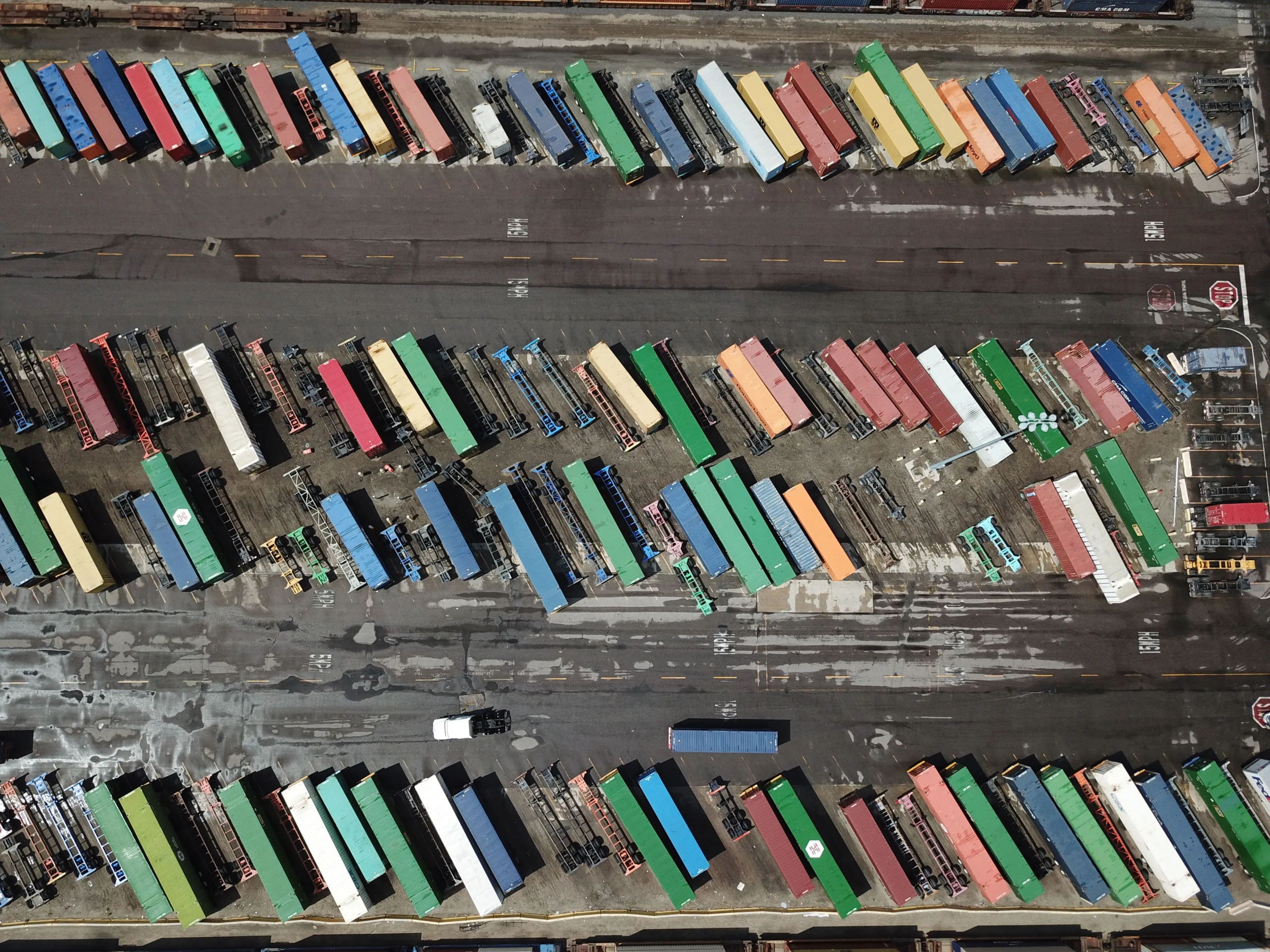
Think of shipping containers at a port. Before standardized containers, cargo was loaded loose and every port handled it differently — slow and error-prone. Standard containers made shipping predictable and cheap. Software containers do the same for applications: the package looks identical everywhere it runs.
Technically, containers differ from the older virtual machine approach. A virtual machine gives every application its own full copy of an operating system, which is heavy and slow to start. Containers share one operating system among applications, while each container still gets its own filesystem, share of CPU, memory, and process space. They are therefore much lighter, start in seconds, and run consistently — “the same on a laptop as it does in the cloud,” as the Kubernetes documentation puts it.
So what is Kubernetes?
Kubernetes is a portable, extensible, open-source platform for managing containerized workloads and services, with declarative configuration and automation. That is the official definition from the Kubernetes documentation.
In plain English: Kubernetes is the system that runs your containers in production. One container on one server is easy to manage. Dozens or hundreds of containers spread across many servers — keeping them healthy, routing customer traffic to them, updating them without outages — is a full-time job. Kubernetes does that job automatically.
The name comes from the Greek word for “helmsman” or “pilot” (hence the ship’s-wheel logo), and “K8s” is just shorthand — the eight letters between the K and the s. Google open-sourced Kubernetes in 2014, drawing on more than 15 years of its own experience running production workloads at scale with internal systems called Borg and Omega. Today it is maintained by the Cloud Native Computing Foundation (CNCF) and has become the de facto standard for running containers in production.
How does Kubernetes actually work?
The core idea is desired state. You write a short configuration file that declares what you want — for example, “three healthy copies of my checkout app should always be running.” Kubernetes then continuously works to make reality match that declaration, correcting drift automatically when something changes.
A Kubernetes setup has two broad parts. The control plane makes decisions: an API server receives commands, a scheduler decides which machine should run each new workload, etcd stores the cluster’s state, and controllers reconcile that state against what was declared. Worker nodes are the machines where containers actually run, each managed by an agent called the kubelet that reports back to the control plane.
When something goes wrong, you see the payoff: if a container crashes, Kubernetes starts a replacement; if a whole server dies, workloads move to healthy machines; if traffic surges, it spins up extra copies and shuts them down when demand falls. No pager duty, no manual restarts.
Kubernetes vs Docker vs virtual machines: what’s the difference?
These terms get mixed up constantly. Here’s the short version:
| Technology | What it does | Analogy |
|---|---|---|
| Virtual machines | Each app gets its own full operating system on shared hardware | A detached house for every employee — private, but expensive |
| Containers | Apps share one operating system, staying isolated and portable | Standard shipping containers — light, uniform, stackable |
| Docker | Builds and runs containers (typically on one machine) | The crane that packs a container |
| Kubernetes | Manages containers across many machines: scheduling, scaling, healing | The port authority running the whole terminal |
Docker and Kubernetes are complementary, not competitors: Docker packages the containers, Kubernetes runs them at scale. If your business’s app talks to other software through an [[what-is-an-api-beginner-explanation|API]], Kubernetes is also what keeps the services behind that API running and responsive.
Why should a business owner care about Kubernetes?
You will never click around in Kubernetes yourself — and you don’t need to. But the technology behind your company’s app affects your uptime, your costs, and your growth ceiling. Kubernetes delivers four things that matter to a P&L:
- Uptime without heroics. Kubernetes restarts failed containers, replaces unresponsive ones, and avoids sending customers to containers that aren’t ready. Outages that once needed an engineer at 3 a.m. now fix themselves.
- Updates with zero downtime. You describe the new version, and Kubernetes rolls it out gradually — creating new containers, retiring old ones, and automatically rolling back if something breaks. Your store never closes for a software update.
- Scale that matches demand. A flash sale or viral post can multiply traffic overnight. Kubernetes adds capacity automatically and removes it when the rush passes, so you pay for what you use instead of over-provisioning “just in case.”
- Run anywhere. Containers are portable across clouds, so a Kubernetes app can move between providers or run on your own hardware. All the major clouds also sell managed Kubernetes (Amazon EKS, Google GKE, Microsoft AKS), which removes most of the operational work.
There is a real operational cost to running Kubernetes well — it is powerful but not simple. For many small businesses, the right answer is a managed service or a simpler platform, not a self-run cluster. If your team is evaluating modern backends, our explainer on Supabase Explained: The Open-Source Firebase Alternative covers a lighter-weight option for smaller apps.
Do you actually need Kubernetes?
Ask three questions:
- Does your app have real traffic or growth pressure? A brochure website doesn’t need Kubernetes. An online store with traffic spikes, or software with many moving parts, benefits quickly.
- Can you afford downtime? If an hour offline costs you real revenue or reputation, self-healing and zero-downtime updates pay for themselves.
- Do you have (or can you rent) the expertise? Managed Kubernetes exists precisely so small teams get the benefits without hiring a platform team. Ask your developer or agency what they recommend — and if they mention containers, you now know what they mean.
And wherever you land, containers themselves are worth understanding: they are also how many desktop and mobile apps are now distributed, as we explain in How App Stores Work: Flathub, Mac Store & Sideloading.
Frequently asked questions
Is Kubernetes free?
Yes — Kubernetes itself is open-source software (Apache License 2.0) and free to download and use. You still pay for the servers it runs on, and managed Kubernetes services from cloud providers charge for the infrastructure and management layer.
Is Kubernetes the same as Docker?
No. Docker is a tool for building and running containers, usually on a single machine. Kubernetes orchestrates containers across many machines — handling scheduling, scaling, networking, and recovery. They are typically used together.
How is a container different from a virtual machine?
A virtual machine gives each application a full copy of an operating system, which is heavy. Containers share one operating system while each keeps its own filesystem, CPU share, memory, and process space — making them lightweight, fast to start, and portable.
Can a small business use Kubernetes?
Technically yes, through managed services (EKS, GKE, AKS), but it is often overkill for a simple website. Kubernetes pays off when you have meaningful traffic, multiple services, or uptime requirements that justify the complexity.
What does “K8s” mean?
It is shorthand for Kubernetes: the K, then the eight letters between K and s, then the s.
Who owns Kubernetes?
Nobody owns it. Kubernetes is open-source and governed by the Cloud Native Computing Foundation (CNCF), with contributions from Google, cloud providers, and thousands of developers worldwide. In short, kubernetes containers is worth learning early in your cloud journey.

Developers, designers and marketers who build websites, software, apps and automations for businesses worldwide. Our editorial policy


1 comment